
FAQ

Where can I download Finikid?

How do I sign up?

How do I assign a task, confirm its completion and pay for it?

How do I monitor what my kid spends on?
How do I set a saving goal for my kid?
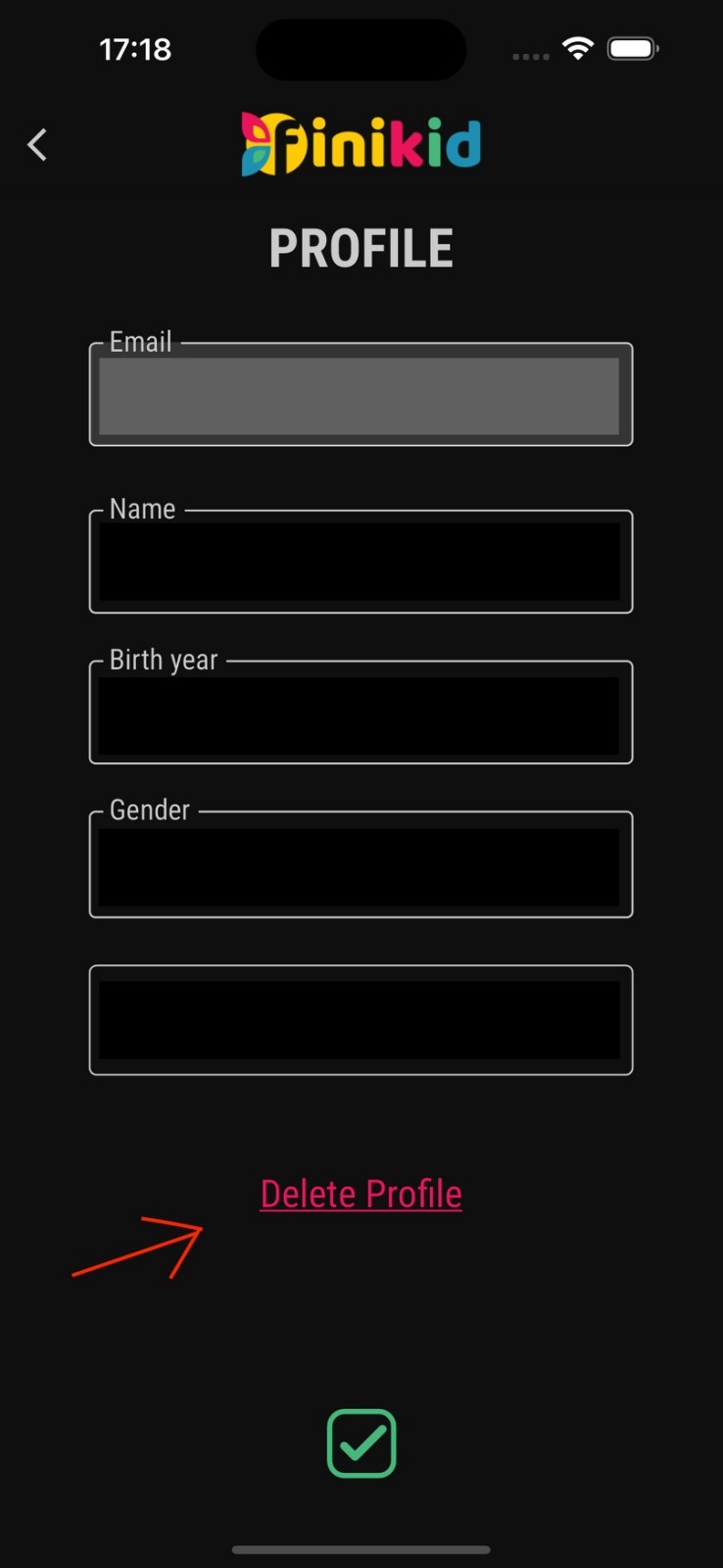
How to Delete Your Finikid Account?
If you wish to delete your Finikid account, please follow these steps:
- Open the app and log in with your account;
- Navigate to Settings/Profile;
- Press “Delete Account” – see the picture.
Attention! Once you confirm the deletion of your account, all data associated with it will be permanently erased, and you will not be able to recover it.
Send your questions to us: